
Learn how to use VSCode with ESP32 & Arduino


Hey All,
This is a short manual I made while configuring VSCode IDE to work with ESP32 and Arduino on Ubuntu.
Note: assuming VScode is already installed.
-
Download and install Arduino
-
Unzip the downloaded file (Say to ~/Downloads/ ).
-
Using terminal:
-
cd ~/Downloads/adruino-<version>/

# Install
sudo ./install.sh

# Allow UDEV rules
./arduino-linux-setup.sh <user-name>
-
Open VSCode & Install the Arduino plugnin.
-
Configure the Plugin to recognize the Installed Arduino application, by adding to the
.vscode/settings.json:
"arduino.path": "/home/gal/Downloads/arduino-nightly", #<---------- Path to installed Arduino app
"arduino.additionalUrls": "https://raw.githubusercontent.com/VSChina/azureiotdevkit_tools/master/package_azureboard_index.json, https://dl.espressif.com/dl/package_esp32_index.json, http://arduino.esp8266.com/stable/package_esp8266com_index.json",
Note: Notice that the "arduino.additionalUrls" containing three URL's. The second and the third will provide support for all the ESP boards.
-
Restart VSCode
-
Press ctrl+shift+p
-
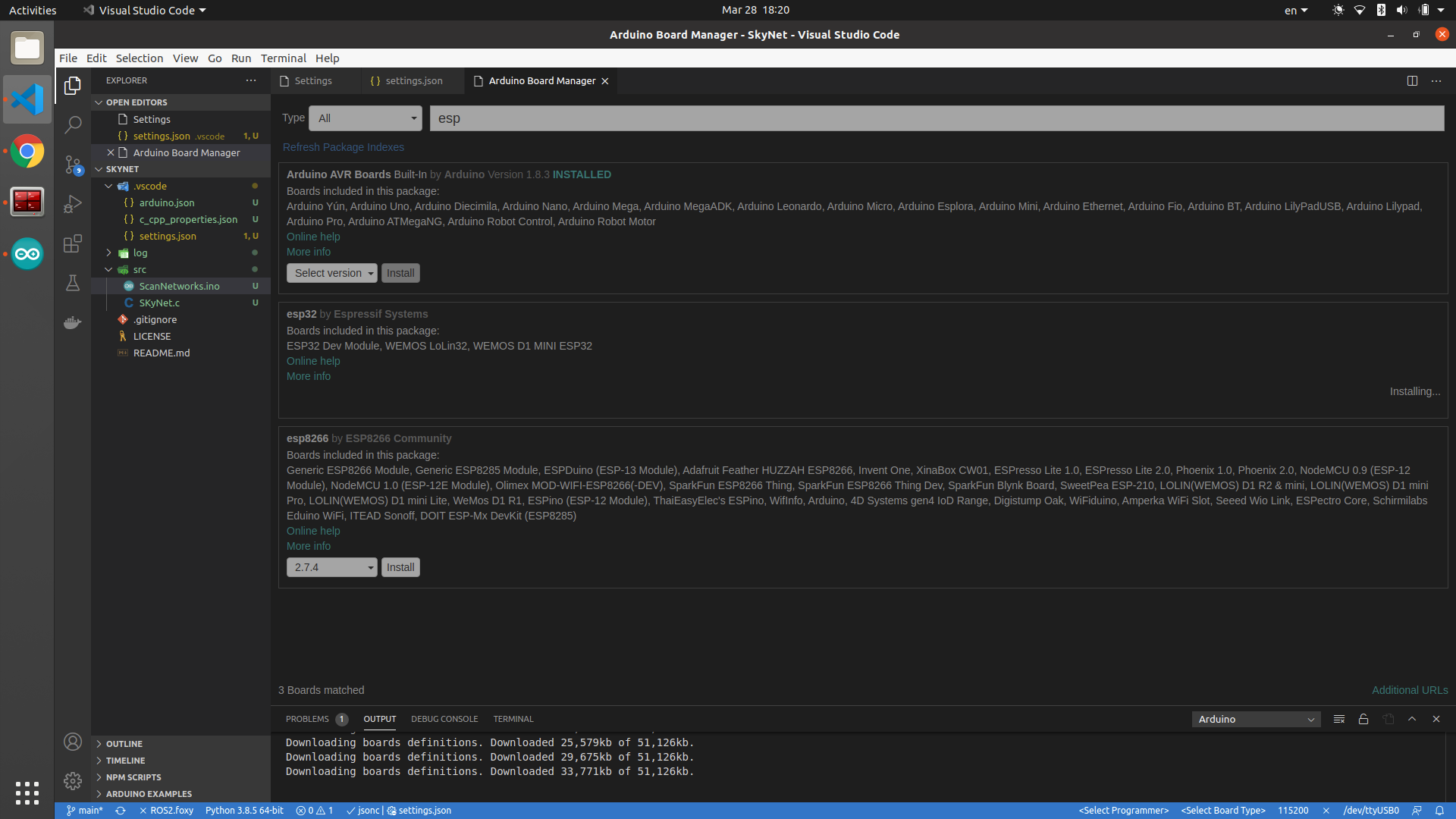
Type 'Arduino: Board Manager' & press Enter.
-
Install the ESP board:
-
-
Selecting board type:
- Press ctrl+shift+p
- Type
Arduino: Change Board Type - Select your ESP32 board.
-
Testing the plugin with examples:
-
Press ctrl+shift+p
-
Enter
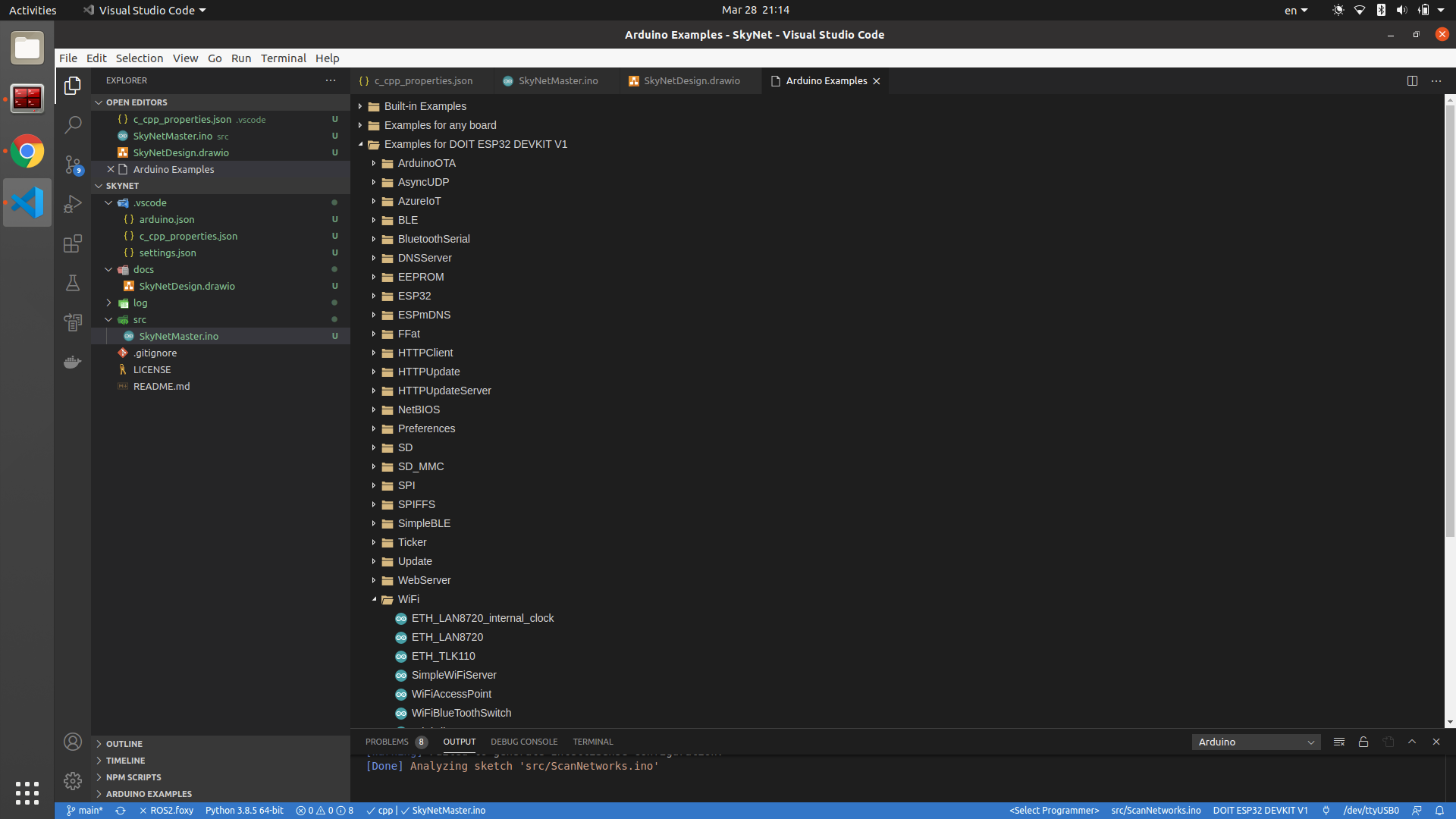
Arduino: Examplesand select an example to start with (Iv'e selected theWifiClient):
-
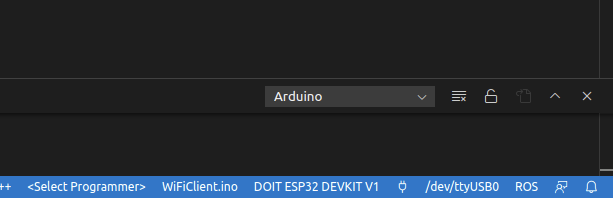
A new window will pop-up. Connect the ESP32. Make sure the Serial configuration is set up correctly ( At the bottom right):
- The serial is pointing to the correct port. (In my case its
/dev/ttyUSB0) - The selected board appears correctly.
- The serial is pointing to the correct port. (In my case its
-
Now you can press the Upload button (at the top right corner of the screen).
-
In order to see the serial's output - press the pluginicon, left to the
/dev/ttyUSB0text. -
That's it!
-
-
OTA support
- Set the
portfield in thearduino.jsonfile to point to the Arduino's IP (In my case it's an AccessPoint):
- Set the
{
    "port": "192.168.4.1",
    "configuration": "FlashFreq=80,UploadSpeed=921600,DebugLevel=none",
    "board": "esp32:esp32:esp32doit-devkit-v1",
    "sketch": "SkyNetMaster/SkyNetMaster.ino"
}
Note
On my PC I have ubuntu 20, with python 3 only. thus I received the following error:
exec: "python": executable file not found in $PATH
Error compiling for board <BOARD NAME>.
I fixed It by doing:
# The esp driver is looking for hard-coded `python` everywhere in their scripts, while the system knows only `python3` reference.
# so this trick worked for me.
sudo ln -s /usr/bin/python3 /usr/bin/python

# Also I've needed to install pyserial
pip3 install pyserial
The prons of Working on VSCode & Arduino
- IntelliSense - VSCode supplies a greater IntelliSense engine, Unlike the Arduino IDE, which has none.
- GIT - Arduino project is a bunch of files, so it can be managed with GIT repository, but the Arduino IDE has no Plugins to ease your life.
Cheers, Gal.


